Core Office Tools
Learn the essential tools used in every modern office environment.
Video
Watch the lesson video, then complete the reading and challenge.
Presentation Slides
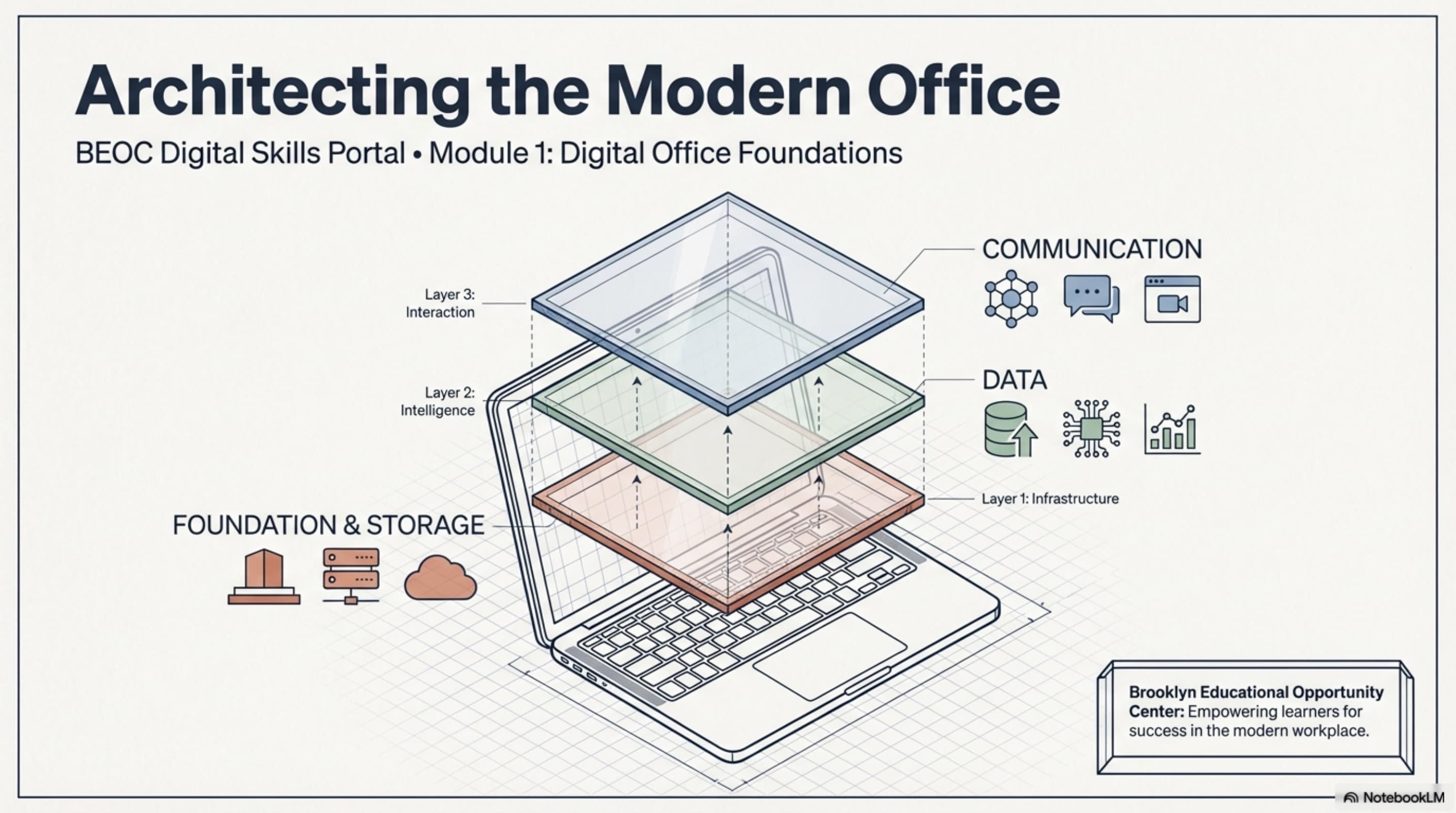
Review the slides below, then complete the reading and challenge.
Lesson Notes
Read through the key concepts before you try the challenge.
Real-World Scenario
The Six Essential Systems
Every modern office relies on the same core set of tools. These six systems appear in virtually every professional environment — regardless of whether the organization uses Google Workspace or Microsoft 365. Master the underlying function of each and you can adapt to any software variant your employer uses:
- Email (Gmail / Outlook) — the primary communication channel of every professional office. Email is used for formal communication with clients and external partners, for sending documents and links, for creating a paper trail of decisions, and for coordinating tasks across the team. Every office assistant is expected to manage their inbox professionally: reading messages promptly, replying with clear and complete responses, and organizing received messages into labeled folders.
- Cloud Storage (Google Drive / OneDrive) — the central file repository where all organizational documents live. Cloud storage replaced the physical filing cabinet and made remote collaboration possible. Files saved to cloud storage are accessible from any device with an internet connection, can be shared with specific team members or external partners, and are automatically backed up. Every file you create or receive at work should be saved to the organization's cloud storage — never only to your personal computer.
- Documents (Google Docs / Microsoft Word) — the standard tool for writing, editing, and sharing text-based content. Documents are used for reports, meeting notes, proposals, procedure guides, client summaries, and any other deliverable that is primarily text. The key skill is not just typing — it is formatting documents correctly so they look professional and are easy to read.
- Spreadsheets (Google Sheets / Microsoft Excel) — the tool for organizing, tracking, and analyzing numerical or structured data. Spreadsheets are used for contact lists, budget trackers, inventory records, scheduling tables, and any task that involves managing rows and columns of information. Learning basic spreadsheet skills — entering data cleanly, formatting cells, and using simple formulas — is one of the highest-value investments an office assistant can make.
- Presentations (Google Slides / Microsoft PowerPoint) — the tool for creating visual content for meetings, pitches, training sessions, and client-facing communications. Presentations are not just slide decks — they are a structured argument or narrative built one idea at a time. A professional presentation is clear, consistent in design, and focused on what the audience needs to understand.
- Calendar & Scheduling (Google Calendar / Outlook Calendar) — the system for managing time across the organization. Calendars are used to schedule meetings, set reminders for deadlines, block time for focused work, and coordinate availability across multiple team members. An office assistant who manages their own calendar well — and can help manage others' — is immediately more valuable to any team.
Google Workspace vs. Microsoft 365
The two dominant office productivity ecosystems are Google Workspace and Microsoft 365. Most employers use one or the other — and the tools in each ecosystem are functionally equivalent even when they look different. What matters is understanding the underlying function, not memorizing one specific interface:
- Google Workspace — includes Gmail, Google Drive, Google Docs, Google Sheets, Google Slides, and Google Calendar. Google Workspace is browser-based, meaning files live in the cloud by default and can be accessed from any device without installing software. It is widely used by startups, small businesses, schools, and nonprofits.
- Microsoft 365 — includes Outlook, OneDrive, Word, Excel, PowerPoint, and Outlook Calendar, plus Microsoft Teams for communication. Microsoft 365 has both desktop applications (installed on your computer) and cloud-based versions. It is widely used in corporate environments, government agencies, and large organizations.
- Transferability of skills — if you learn to write a professional document in Google Docs, you can write one in Microsoft Word. If you learn to build a spreadsheet in Google Sheets, you can build one in Excel. The core skill transfers; only the interface changes. Never let unfamiliarity with one platform stop you from describing yourself as capable with both.
- When employers use both — some organizations use Microsoft 365 internally and Google Workspace for client collaboration, or vice versa. Being comfortable navigating both ecosystems is a genuine competitive advantage.
Matching the Tool to the Task
One of the most common mistakes new office assistants make is using the wrong tool for a task — writing a client report in an email, tracking a contact list in a document, or building a budget in a presentation. Each tool is designed for a specific type of work, and using the right one from the start saves significant time and rework. Here is how to make the right choice every time:
- If you are communicating — use email for formal or external messages that need a permanent record. Use chat (Teams, Slack) for quick internal questions that do not require documentation.
- If you are creating written content — use a document. Reports, summaries, proposals, meeting notes, procedure guides, and any text-primary deliverable belong in a document, not an email body or a slide deck.
- If you are organizing structured data — use a spreadsheet. Contact lists, budgets, schedules, inventory counts, and any information that has rows and columns of structured data belongs in a spreadsheet, not a document.
- If you are presenting information to an audience — use a presentation. Client pitches, training sessions, team briefings, and any situation where you are standing in front of people explaining something visual belongs in a presentation.
- If you are coordinating time — use a calendar. Meeting invitations, deadline reminders, out-of-office notices, and time blocks for focused work all belong on a calendar, not in an email thread.
- If you are storing files for shared access — use cloud storage. Every file that another team member might need — whether today, next week, or next year — should be saved in a clearly named folder in the organization's cloud storage.
Quick Reference: Core Office Tools

Core Office Tools: Matching the Right System to Every Task
Responsible Use
AI Assist
Knowledge Check
Which tool would you use to present quarterly results to a client?
Challenge
Apply what you've learned in this lesson.
Demonstrate your ability to match the right tool to the right task by completing the scenario exercise below. Your response must address all four specifications:
- Match each of the following four tasks to the correct tool and write one sentence explaining why: (a) Sending a project update to your team, (b) Tracking client names and phone numbers, (c) Presenting quarterly results to a client, (d) Storing a signed contract for future access
- Describe a scenario where using the wrong tool would cause a real problem at work — explain what went wrong and what should have been used instead
- Name one tool from Google Workspace and its Microsoft 365 equivalent, and explain in one sentence what they are both used for
- Identify the tool you feel least confident with right now and write 2–3 sentences describing what you would do to build that skill before your first day of work