Creating and Opening Documents
Learn how to create new documents from templates, open existing files, pin documents, and convert older Word files.
By the end of this lesson you can
- Create a document from a blank page or from a template, and choose sensibly between them
- Reopen recent work and pin the files you return to daily
- Recognize Compatibility Mode and decide whether to convert the file
- Explain what converting a .doc file changes and who it might affect
Video
Watch the lesson video, then complete the reading and challenge.
Lesson Notes
Read through the key concepts before you try the challenge.
Starting from the right place
You are preparing correspondence at Lakeside Medical Associates.
You need to send fourteen referral letters this week. The first time, you build one from a blank page: margins, letterhead, address block, closing. It takes twenty minutes. If you start the next thirteen from blank pages too, you will spend four hours and produce fourteen letters that do not quite match each other.
Your task: Learn when to start from blank, when to start from a template, and how to stop re-solving a problem you already solved.
A blank document is the right choice when the format is genuinely new or so simple that setup costs nothing. A template is the right choice the second time you produce the same kind of document. Templates carry margins, fonts, styles, and boilerplate, which means every letter that leaves the practice looks like it came from the same organization — and consistency is most of what 'professional' means in document design.
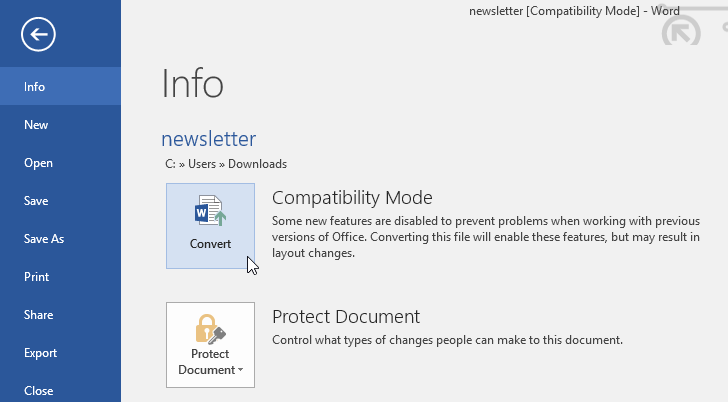
Compatibility Mode is the other thing to understand here. When you open a .doc file created in Word 2003 or earlier, Word disables features that old format cannot store, and the title bar says Compatibility Mode. Your document is not broken; Word is protecting the file so it still opens correctly for whoever sent it. Converting unlocks modern features but produces a file that older Word versions may render differently — so convert when the file is yours going forward, and leave it alone when you are editing something you must hand back.
Key terms
- Template (.dotx)
- A reusable starting point. Opening one creates a new copy and leaves the original untouched, so you cannot accidentally overwrite your master.
- Compatibility Mode
- A restricted mode Word enters for pre-2007 file formats, disabling features the old format cannot represent.
- Pinning
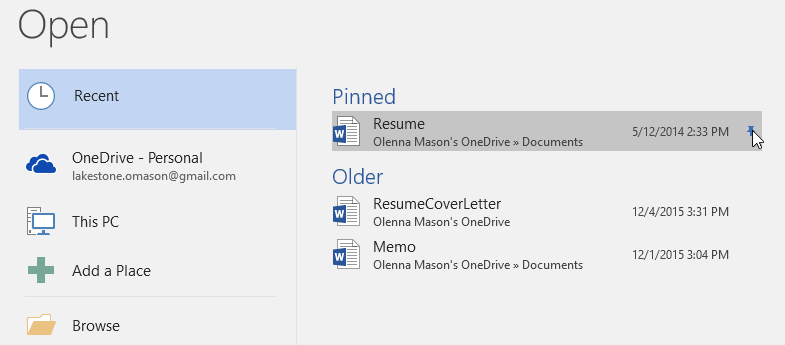
- Fixing a file to the top of the Recent list so it stays there permanently instead of scrolling off as you open other documents.
Creating a New Document
To create a new document, click the File tab to open Backstage view, then select New. You can choose Blank document or search for a template.
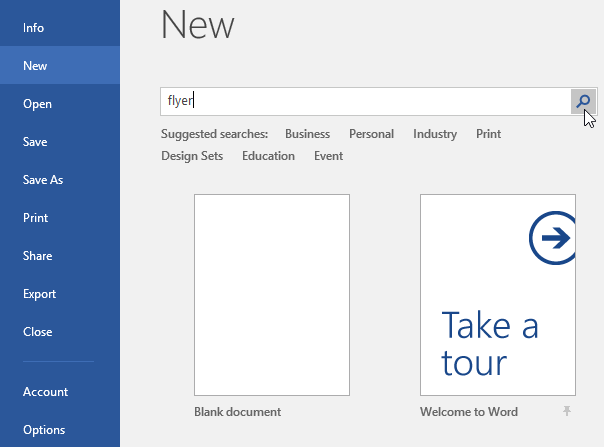
You can type a keyword such as flyer in the search bar to find matching templates.
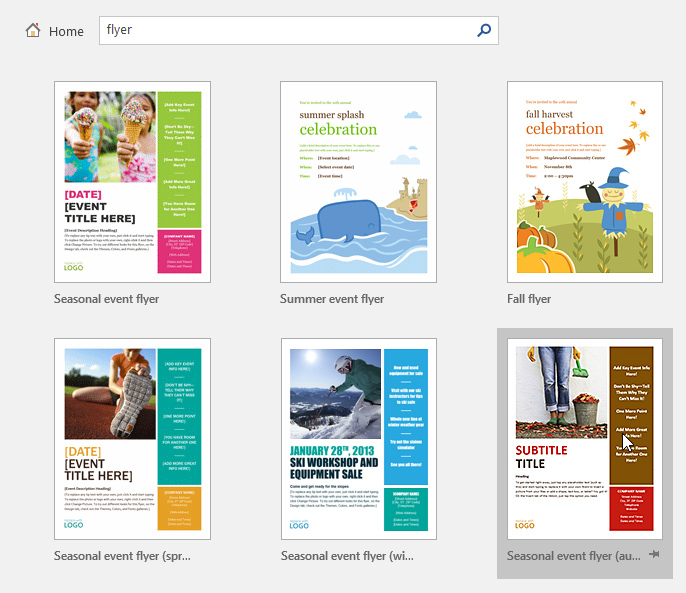
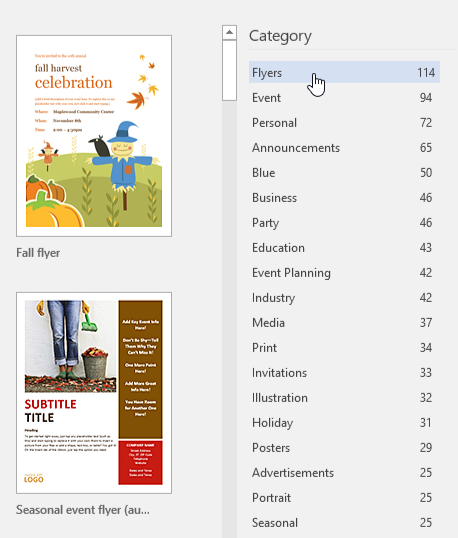
Templates are also organized by category. Select a category such as Flyers to browse available designs.
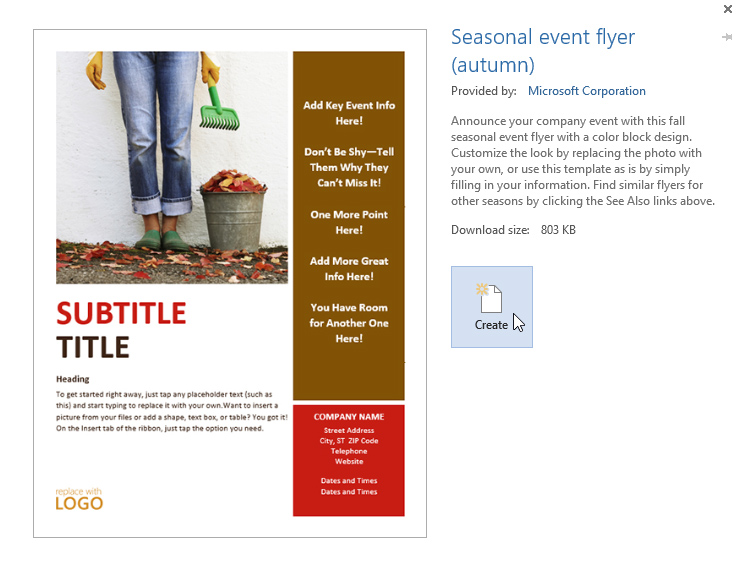
Click a template preview, then select Create to open the new document.
Opening an Existing Document
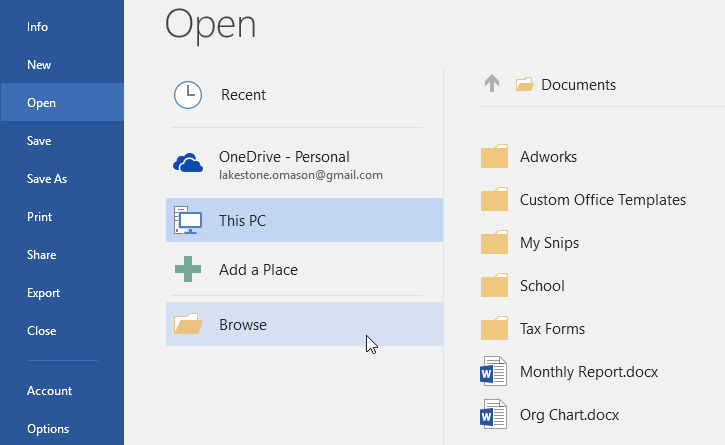
To open an existing file, click File, then select Open. You can choose from Recent documents, OneDrive, or This PC.
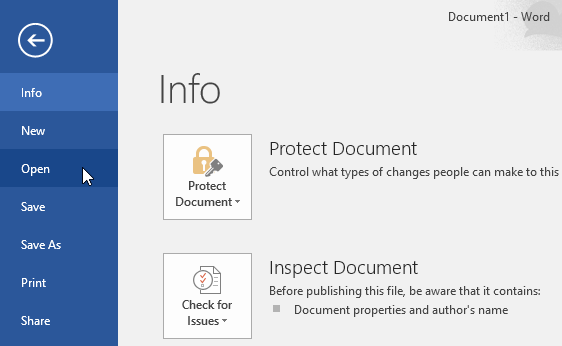
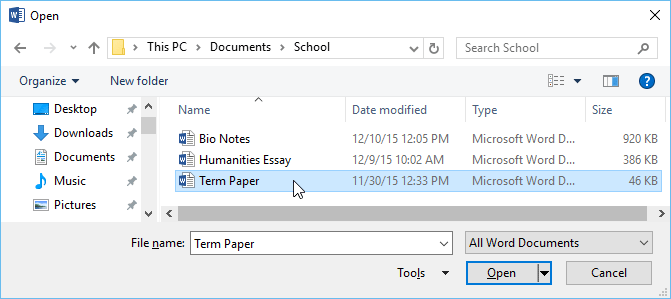
Select Browse to locate a file stored on your computer.
Pinning and Unpinning Documents
You can pin frequently used documents so they stay at the top of your Recent list.
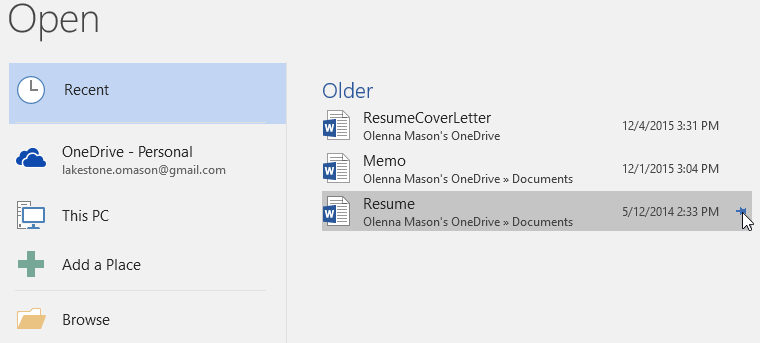
Click the pushpin icon again to unpin the document.
Compatibility Mode and Converting Files
If you open a document created in an older version of Word, it may open in Compatibility Mode. Some features may be limited.

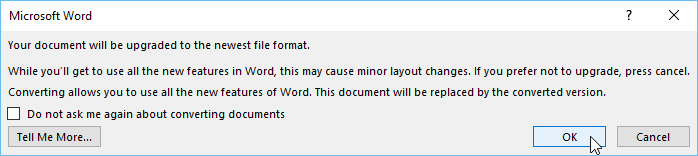
To upgrade the file to the latest format, click File, then select Convert.
Click OK to confirm the conversion.
Knowledge Check
What feature lets you quickly reopen a file you worked on recently?
Practice File
Download this file and follow along with the lesson.
Challenge
Apply what you've learned in this lesson.
- Create a new document using a flyer template.
- Search for a template using a keyword.
- Open an existing document from This PC.
- Pin a document to the Recent list.
- Unpin the document.
- Open a file in Compatibility Mode (if available).
- Convert the file to the newest format.
Finished this lesson?
Progress is saved in this browser only. It is not a grade — official progress lives in Brightspace.